Chat
Ask anything about your work.
It answers from your own messages, calls and notes, and shows where each answer came from.
More about chat
 Smart Jelly
Smart Jelly is a private, personal AI that understands your work and does things for you. Chat, dictation, voice, meetings, follow-ups, documents and agents, in one app.



Most people pay for a separate app for each of these. Smart Jelly does all of them, and they share one memory of your work.
| What you do | Usually a separate app | Its price | In Smart Jelly |
|---|---|---|---|
| Chat and voice | ChatGPT Plus | $20 a month | ✓Chat and voice, from your memory |
| Dictation | Wispr Flow Pro | $15 a month | ✓Dictation in every app |
| Meeting notes | Granola Business | $14 a month | ✓Prep, live help and notes |
| Promises and follow-ups | Chaser | $16 a month | ✓Open Loops, across all your apps |
| Together | Four subscriptions | $65 a month | ✓One plan. Free to start. |
Smart Jelly remembers your conversations, meetings, people and projects. Every feature uses that memory, so each one already knows what you’re working on.
| Feature | What the memory adds | For example |
|---|---|---|
| Chat | Answers come from what you actually said and read, with the source. | “When is the website launching?” The 18th. Maya confirmed it on Tuesday. |
| Dictation | Knows the names and words you use, and how you usually write. | Maya, Arjun and Baga, spelled right the first time. |
| Voice | Knows who you mean and what you’re in the middle of. | “Reply to Maya that it’s on track.” |
| Meetings | Prepares from your past chats with the people on the call. | She’ll probably ask about the launch date. |
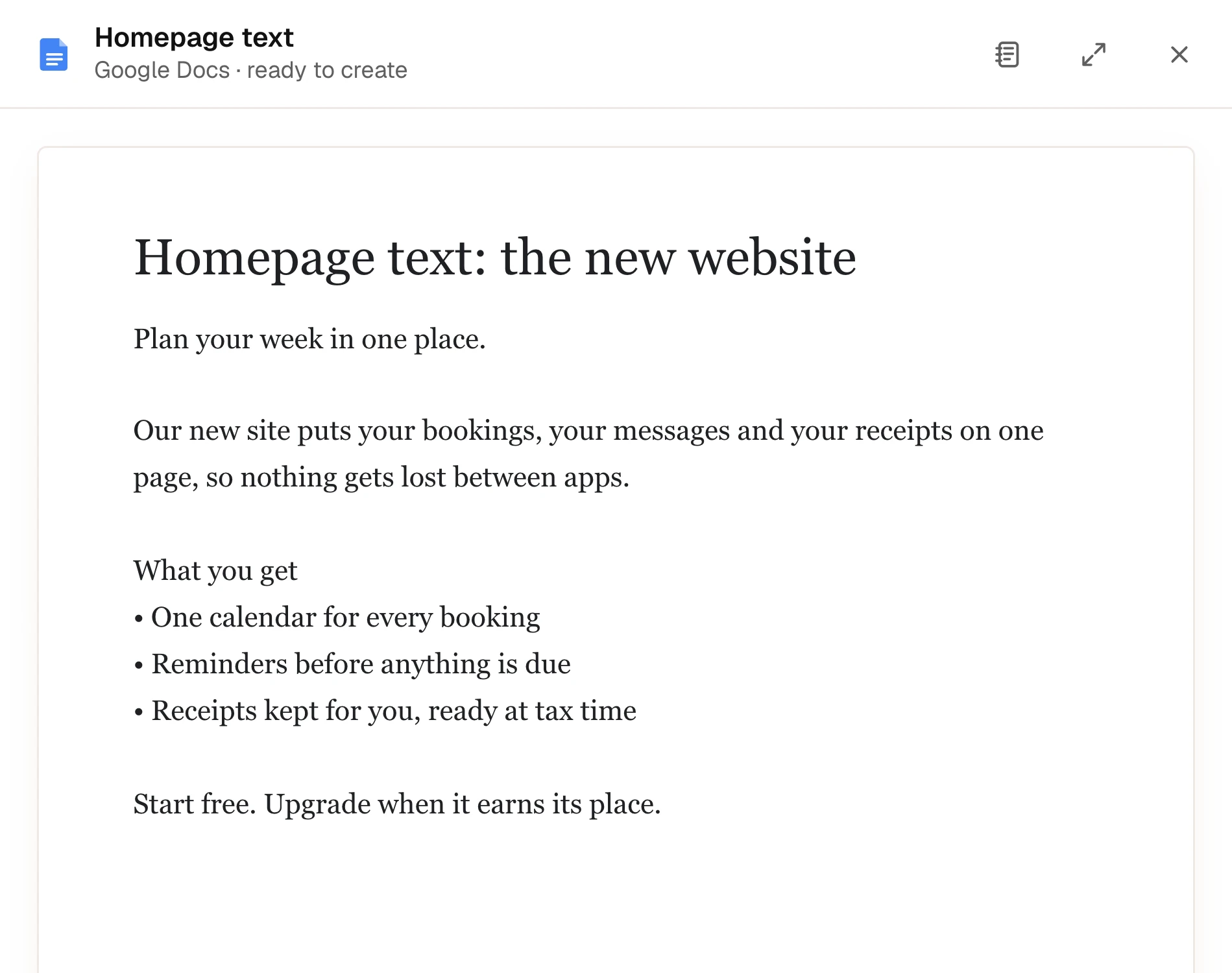
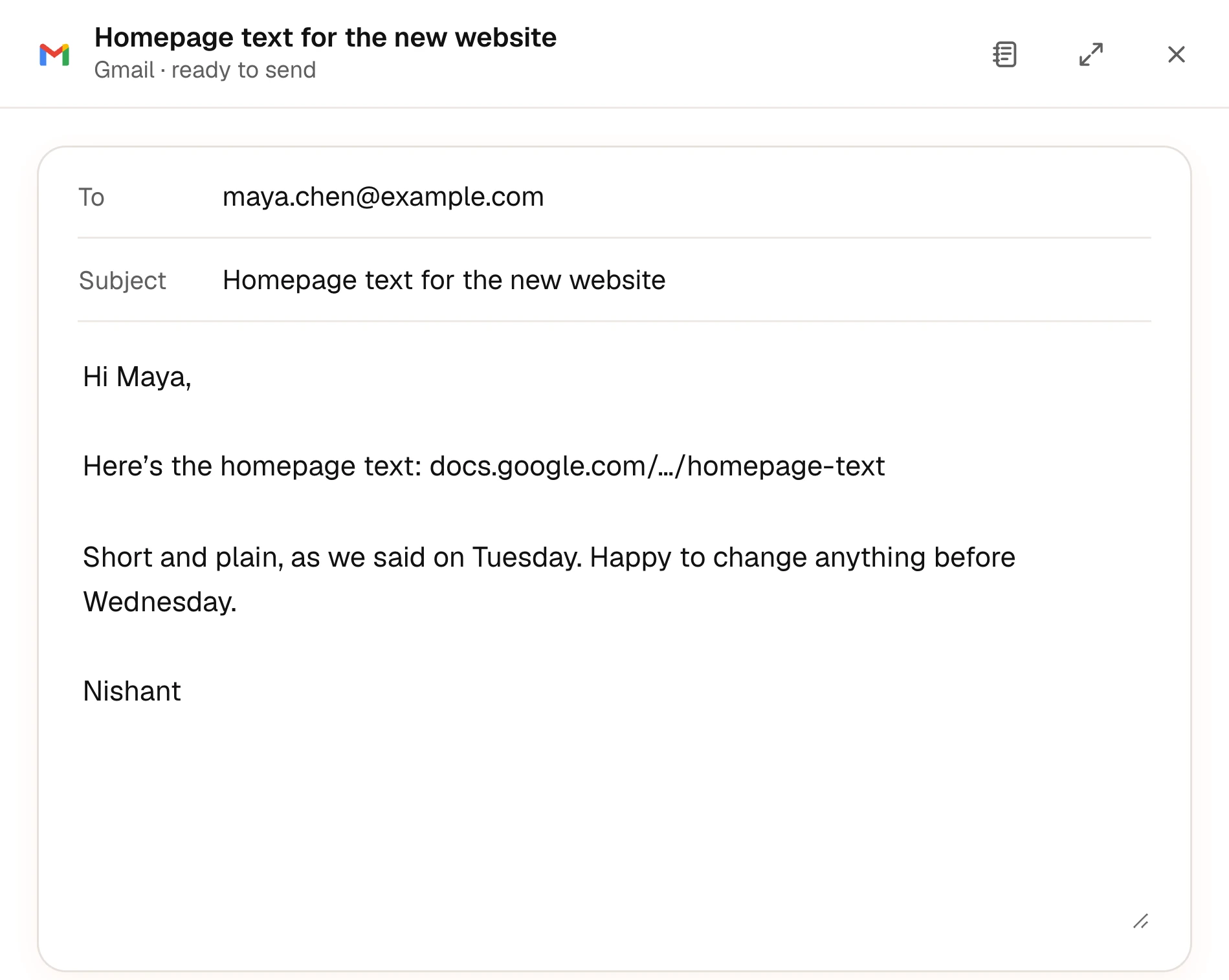
| Open Loops | Notices what you promised in any conversation, and sees when you’ve done it. | Send Maya the homepage text: ticked off when you emailed it. |
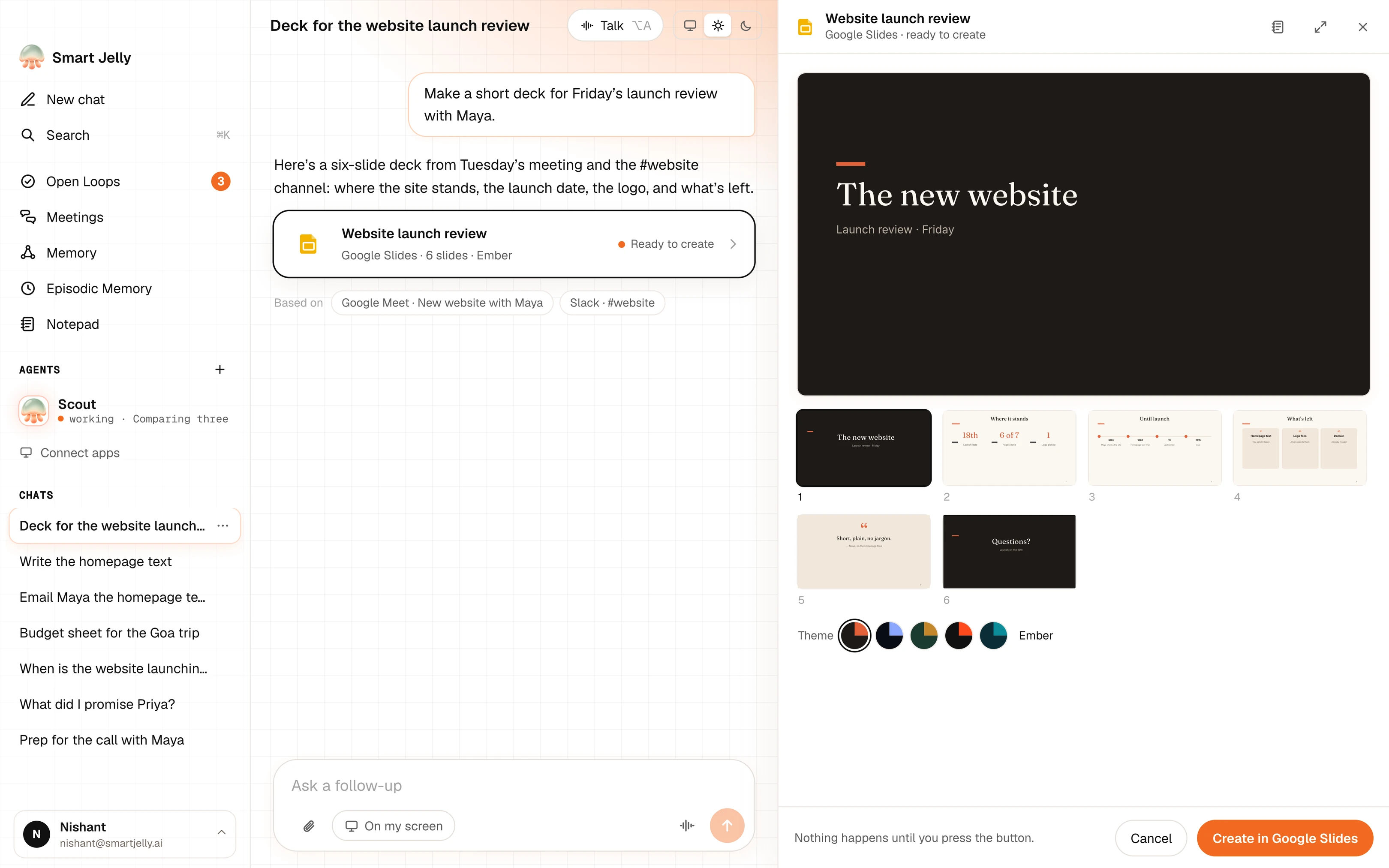
| Create | Writes from what was discussed, in your tone. | A launch review deck from Tuesday’s meeting. |
| Agents | Starts with the details you already gave someone. | Dates and budget from your chat with Priya. |
| MCP | Lets other AI apps search the parts you choose to share. | Claude knows your project without a long prompt. |
It answers from your own messages, calls and notes, and shows where each answer came from.
More about chatIt spells the names you use correctly and tidies the sentence in your own style.
More about dictationAsk out loud while you work. It answers in a natural voice, and can write a reply into the box in front of you.
More about voiceWhat will come up, a quiet card when you need a fact, and notes when it ends. No bot joins the call.
It finds what you owe people in your chats, mail and calls, reminds you before it’s due, and ticks it off when you’ve done it.
More about Open Loops
Ask in plain words. Jelly writes it from what you discussed, in your tone. You check it and press the button.
More about creating
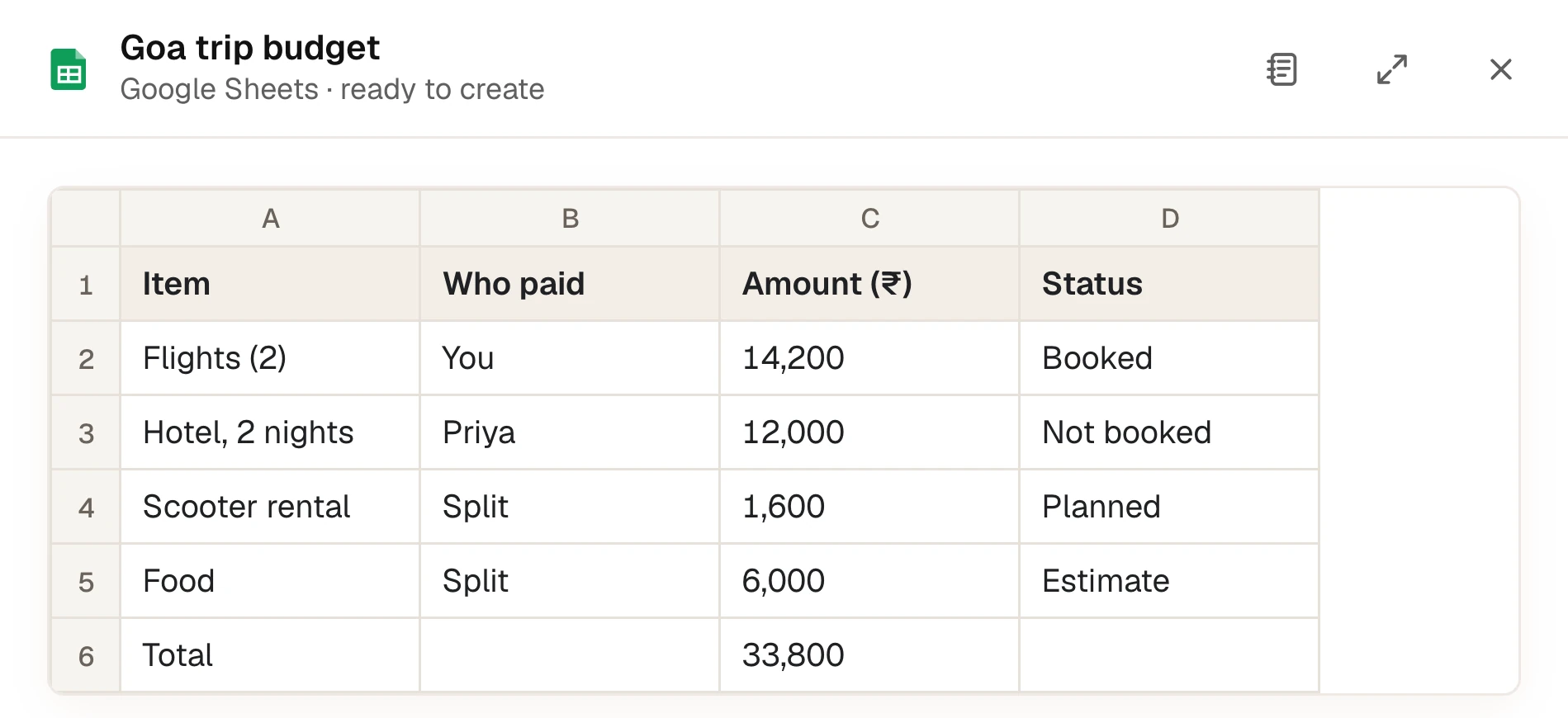
Give one a job, like finding a hotel. It works in its own browser, shows every step, and stops to ask before paying. You can take control at any time.
More about agents
The memory is kept encrypted on your Mac in every option. How privacy works
| Features | Everything | Everything | Your to-dos: what you promised, and when it’s done |
|---|---|---|---|
| What is sent | Only the few lines a request needs, with passwords and card numbers taken out | The same lines, sent straight to your own AI account | Nothing, for these features |
| AI costs | Included in your plan | Paid to your own AI account | None |
| Needs | A Smart Jelly account | Your own API key | A newer Mac with 16 GB of memory |
A memory you can check.
Smart Jelly scored 87.6% on BEAM, a public test of long-term memory. Every answer is public.
See the resultsShare chosen memory with other AI apps.
Connect Claude, Cursor or Claude Code in one click. You decide how much they can see, and you can switch it off.
More about MCPOnly the apps and websites you allow. You can change the list any time in Settings › Privacy. Banking, crypto and password apps are never read.
No. It reads the text in the apps you allow, the way screen readers do. It never records your screen.
In an encrypted database on your Mac. When you ask something, only the few lines it needs are sent to the AI, with passwords and card numbers taken out first.
Yes, in any text box you can type in, including browsers and code editors. Tap ⌃⌥ to start and again to stop.
No. Emails, documents and slides wait until you press the button. Agents stop and ask before any payment, and card fields are hidden from the AI.
Yes. One plan covers chat, dictation, voice, meetings, documents and agents. Basic is free, each plan has a monthly allowance for each feature, and agents come with Plus and Pro.
No. Nothing joins the call or shows in the participant list. Smart Jelly runs on your Mac.
Yes. Add it in Settings and use Smart Jelly with no app limits.
Free to start. macOS 14 or later, Apple silicon. Invite-only for now: sign in, then enter your code or join the list.
Download for Mac